
Karmachitra 1.0
Vedic astrology for study and research. Free for Windows.
More than 7,000 Yogas, fifteen Dasha systems, Vargas up to D108, Jaimini, Tajaka, strengths, transits and Mundane charts in one program. All of it free, and it stays free.
Serious Jyotish software, with no price on it
Free.
No price, no account, no advertising.
Works on your own PC.
No internet needed after you install it. Your charts stay in the folders you choose.
Its own calculation engine,
built from NASA JPL DE441, the planetary data used in modern astronomy.
Dates from 1 January 1550 to 31 December 2650,
in the Gregorian or the Julian calendar.
Classical methods, clearly named.
Where authors differ, you choose whose method to use.
Everything in one program.
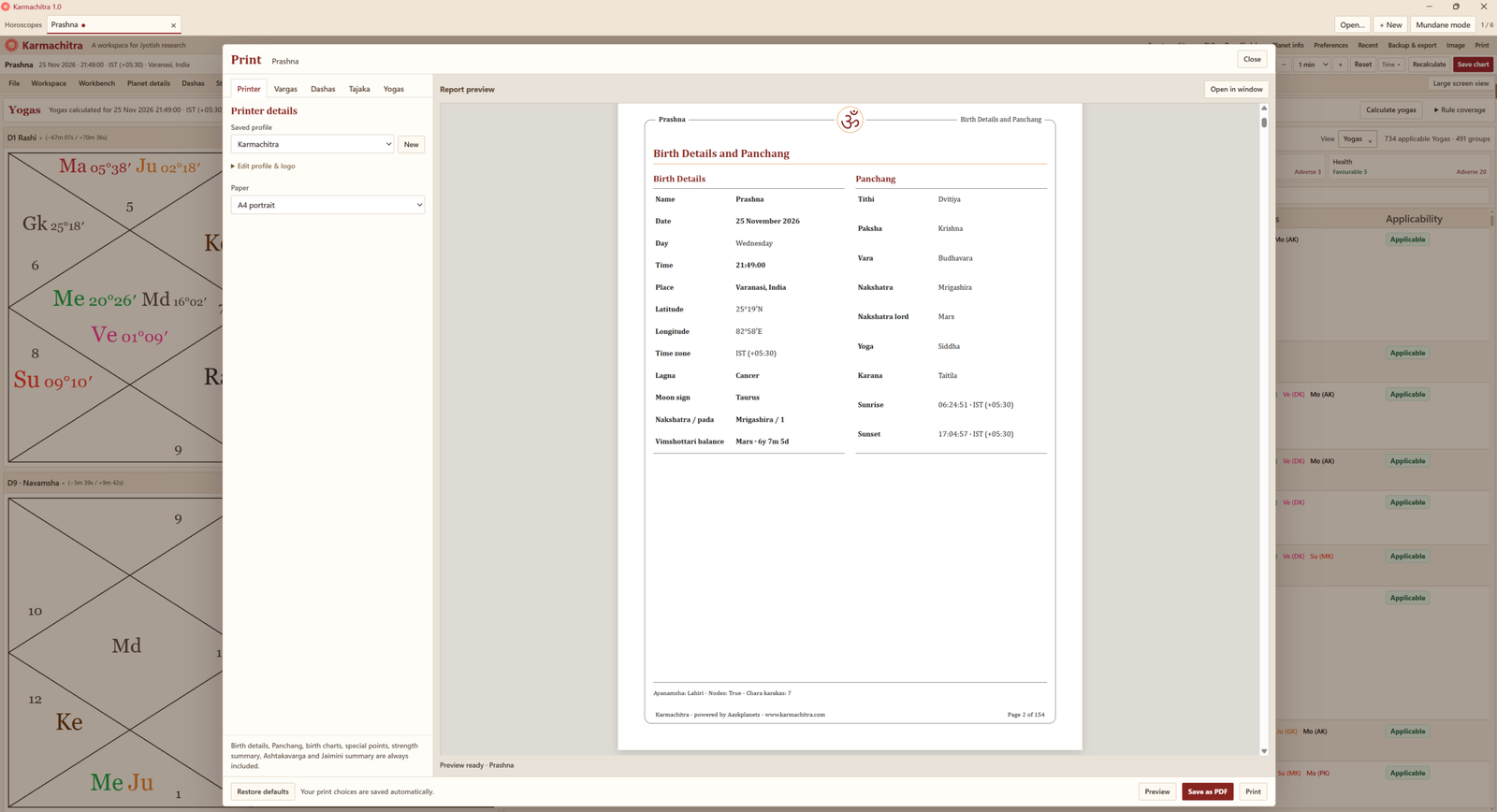
More than 7,000 Yogas, fifteen Dasha systems, Vargas up to D108, Jaimini, Tajaka, strengths, transits and Mundane charts.
What Karmachitra can do
Seven groups of tools. Every one of them is included in the free download. Click any picture to see it larger.
Charts and birth details
- Birth charts in North Indian or South Indian style, with planet, house and Panchang details.
- Up to six horoscopes open as tabs in one window. A Now chart (Prashna) for the present moment.
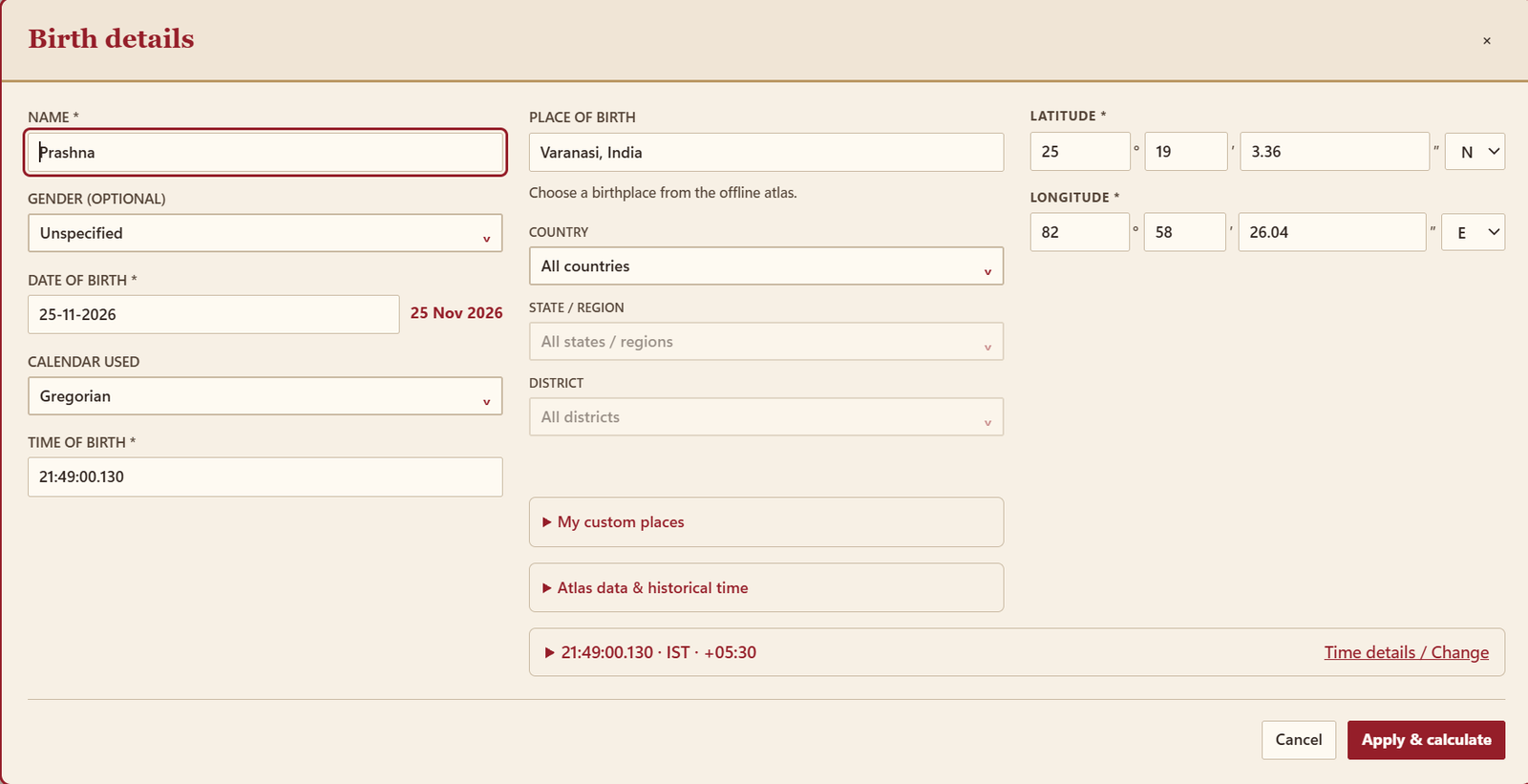
- An offline atlas of places with historical time zones and local mean time, so old births get the right clock.
- Birth-time rectification: step the time by seconds, minutes or an hour and see every chart change. Nothing is saved until you press Save.
Workbench and Vargas
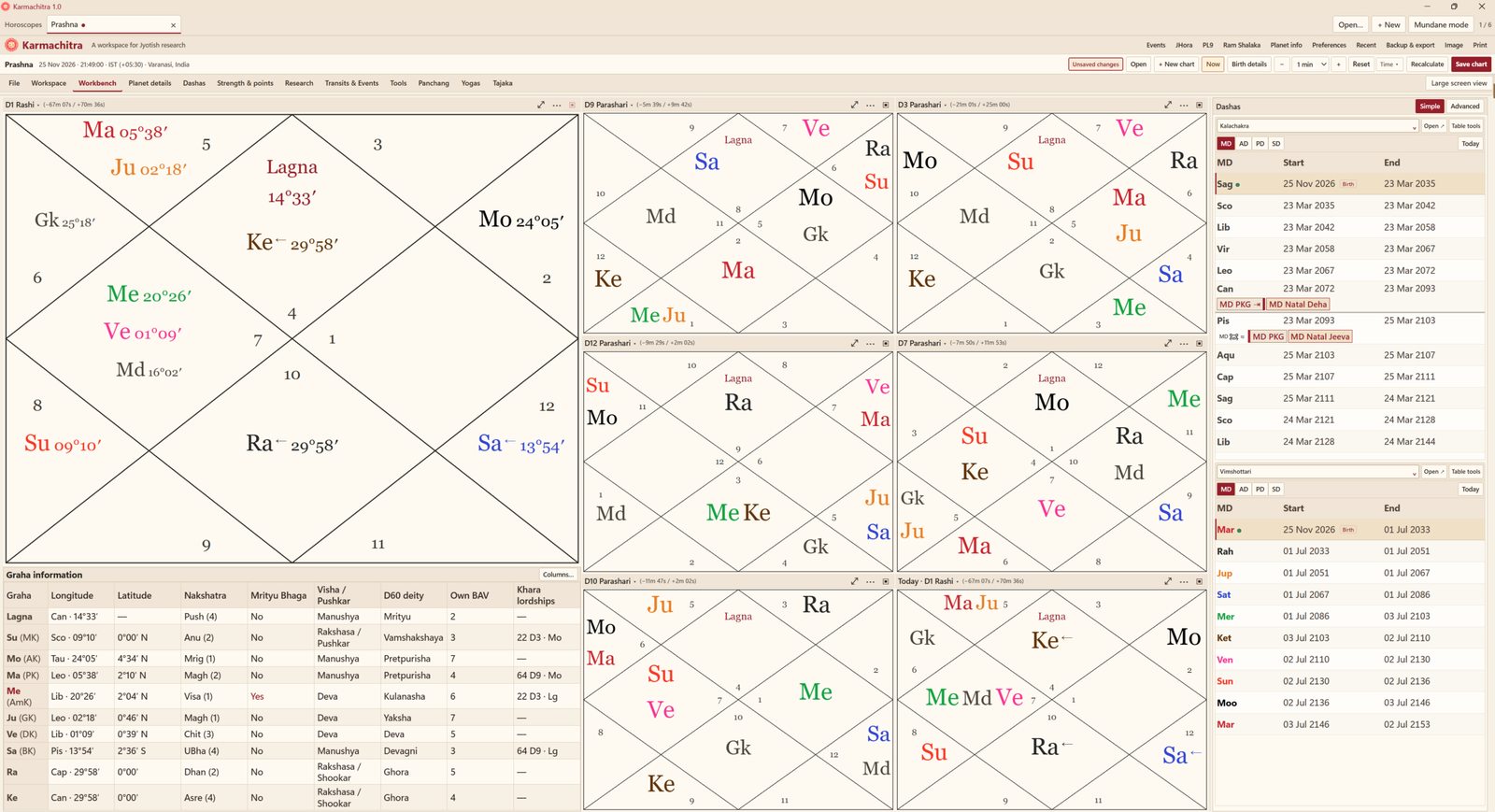
- The Workbench: Rashi, Navamsha and Saptamsha charts, planets, Panchang and the running Dasha on one screen.
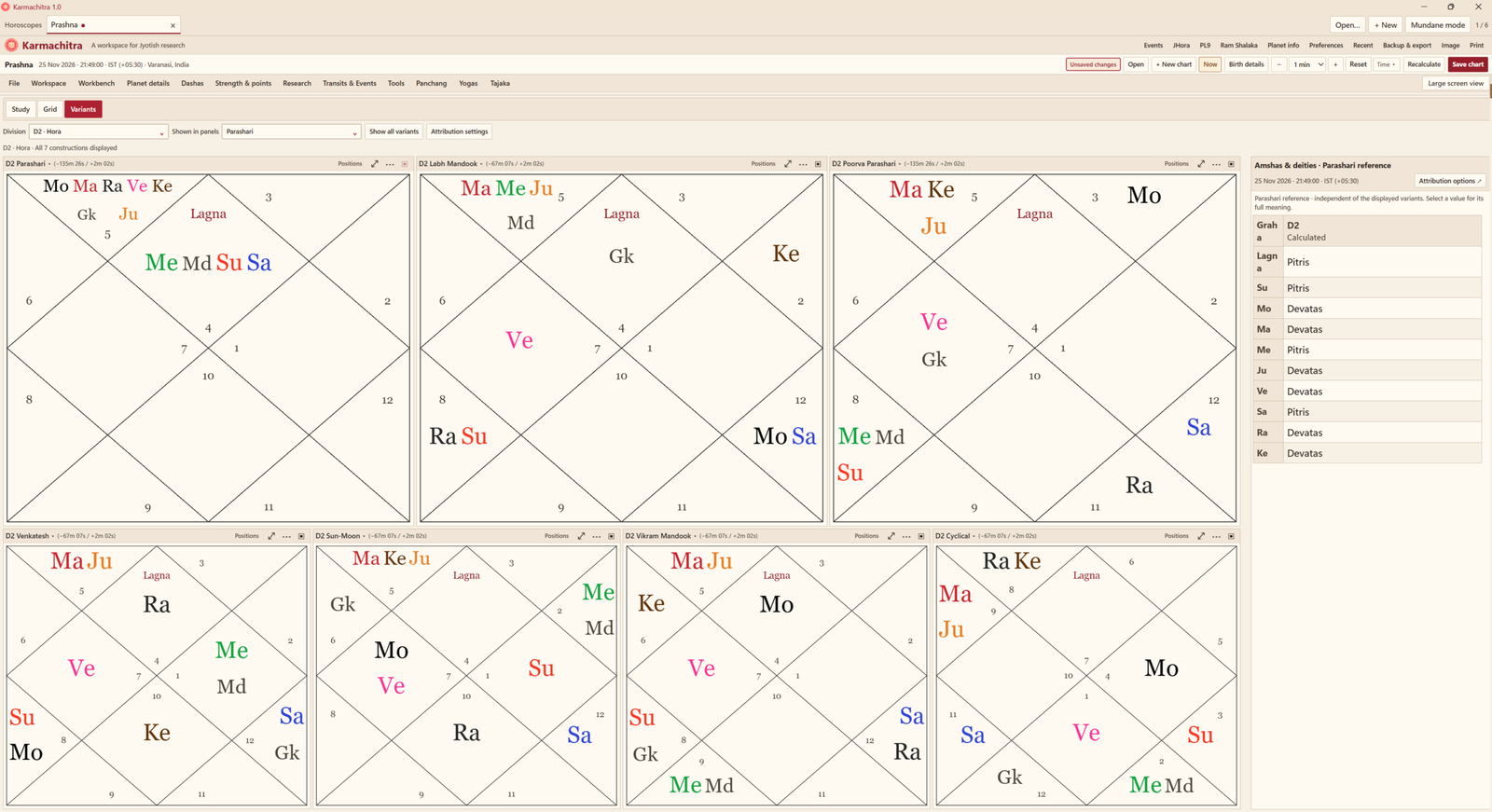
- The sixteen classical divisional charts (Shodasha Varga) and further divisions up to D108, with their variant methods, deities and Amshas, in study, grid and variant layouts.
- Special Lagnas, Upagrahas (Gulika, Mandi and the others), Sphutas, Arudha Padas and Argala.
Planet details and strengths
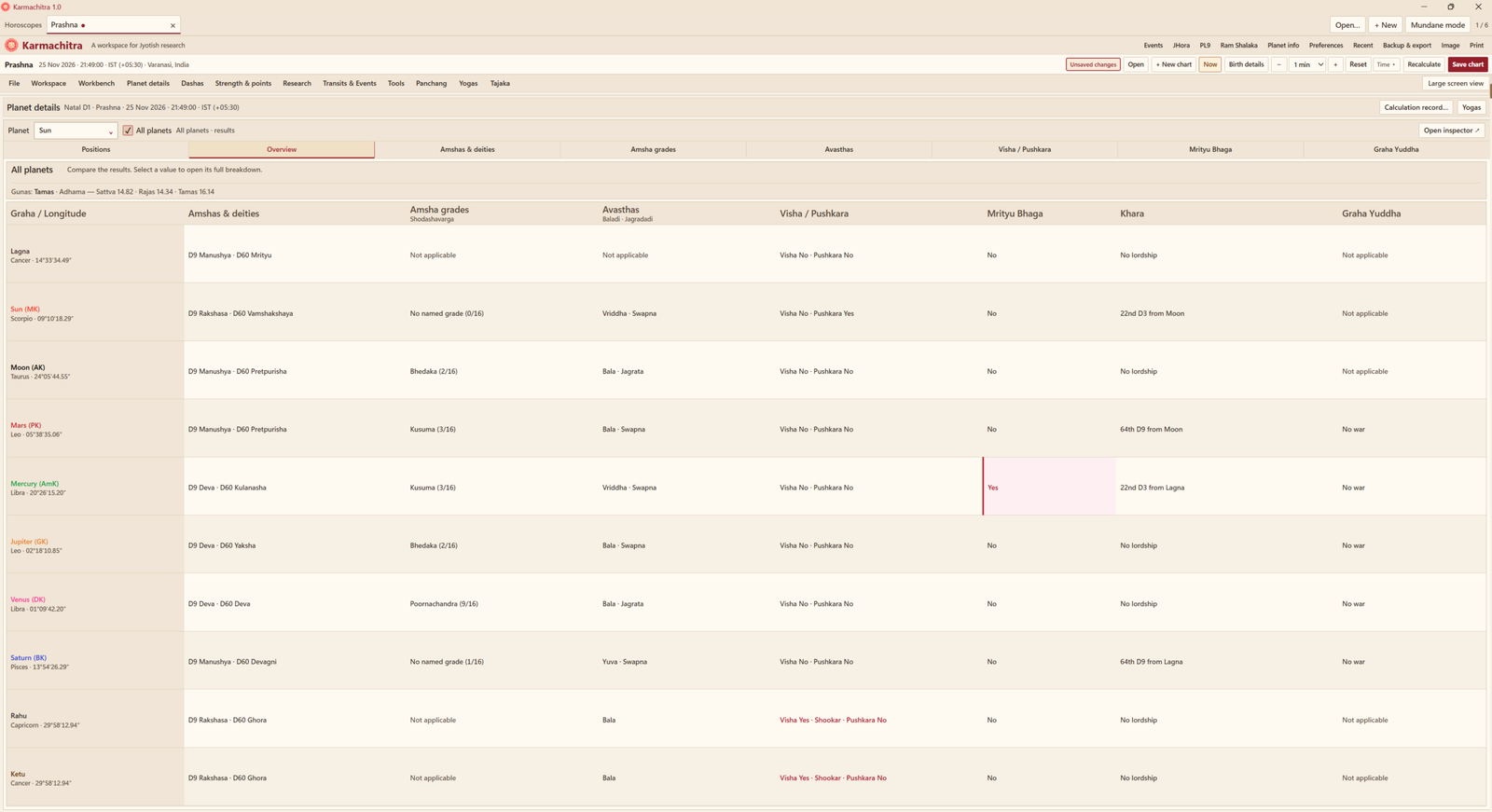
- Positions, Amshas and deities, Amsha grades, Avasthas, Visha and Pushkara, Mrityu Bhaga and planetary war.
- Shadbala, Bhava Bala, Vimshopaka, Ashtakavarga (SAV, BAV and Prastara) and Khara Grahas.
Dashas
- Fifteen systems: Vimshottari, Kalachakra, Yogini, Shasti Hayani, Dwadashottari, Chaturashiti Sama, Dwisaptati Sama, Shodashottari, Chara, Narayana, Sthira, Chakra, Nirayana Shoola, Padnavamsha and Mandook.
- Mahadasha, Antardasha, Pratyantar and Sookshma, with exact start and end times.
- Dasha comparison side by side, and Dasha Pravesha charts.
- Jaimini: Karakamsha and Swamsha charts, Chara Karakas, Arudha Padas, analysis, Dasha analysis, Rudra and Maheshwara.
Transits, events and annual charts
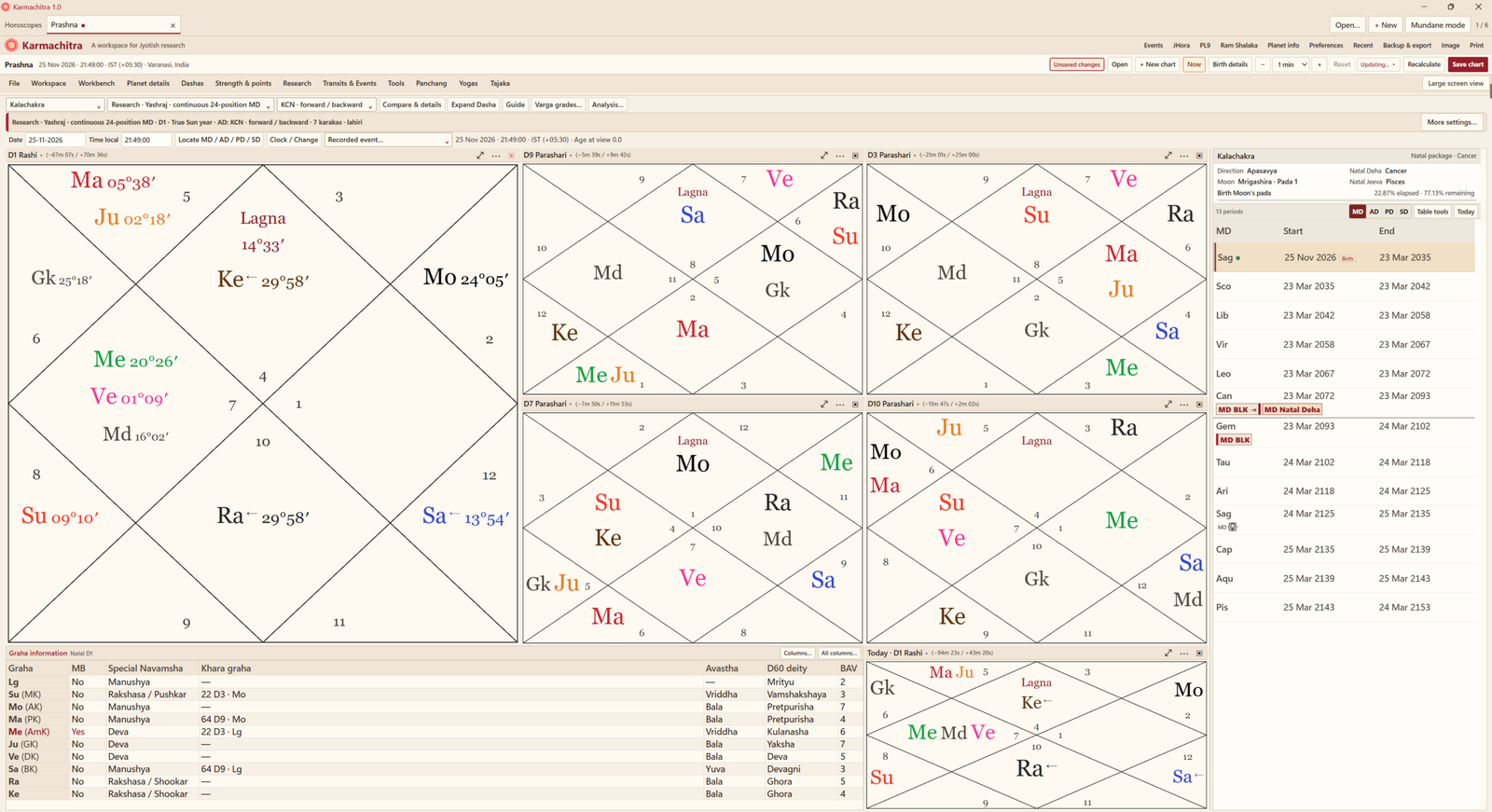
- Gochar: the birth and transit charts together, and a transit search (stations, conjunctions, oppositions, and entry into a Rashi, Nakshatra or Navamsha).
- Naadi Transits, Vedic Progression, the Yogini progressive chart and the Pataki Risht Chakra (PRC).
- Life events (marriage, job, children, education, health and others) recorded on each chart.
- Tajaka annual charts: annual D1 and D9, Muntha, year lord, Sahams, Panchadhikari strengths and Patyayini Dasha.
- Mundane mode: solar ingresses and new years, Ardra Pravesha, lunar months, tithis, swearing-in and other events, and solar and lunar eclipses.
More than 7,000 Yogas
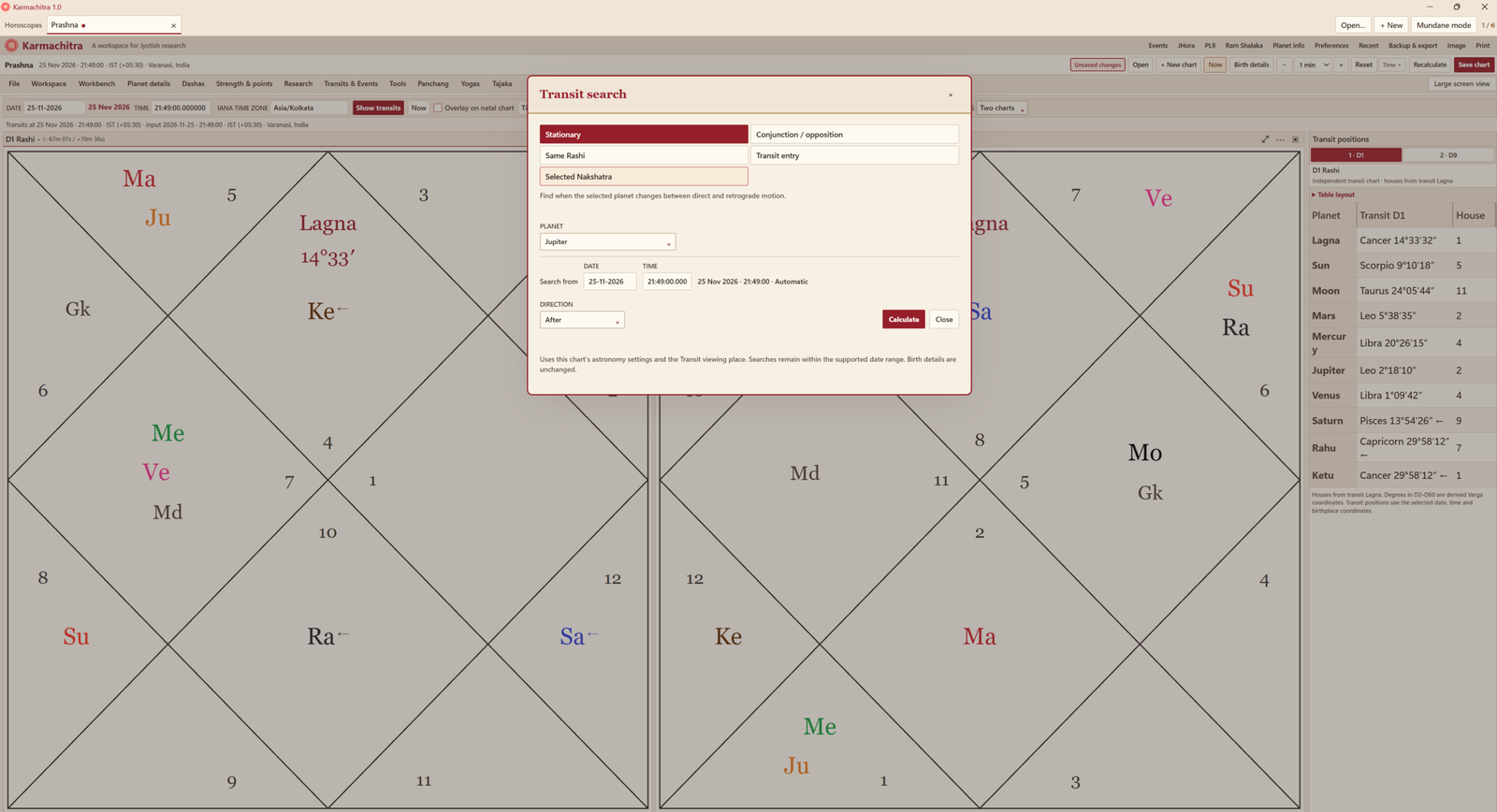
- More than 7,000 classical Yogas from Brihat Parashara Hora Shastra, Jataka Parijata, Sarvartha Chintamani, Jataka Tattva, Jataka Alankara and later works. Each Yoga shows the placements in the chart that form it, and its result.
- Yogas are worked out only when you press Calculate Yogas.
Tools, printing and your files
- Panchang, Longitude calculator and Ram Shalaka.
- Short reading guides on the Dasha, Jaimini, Varga, strength, Upagraha and progression pages.
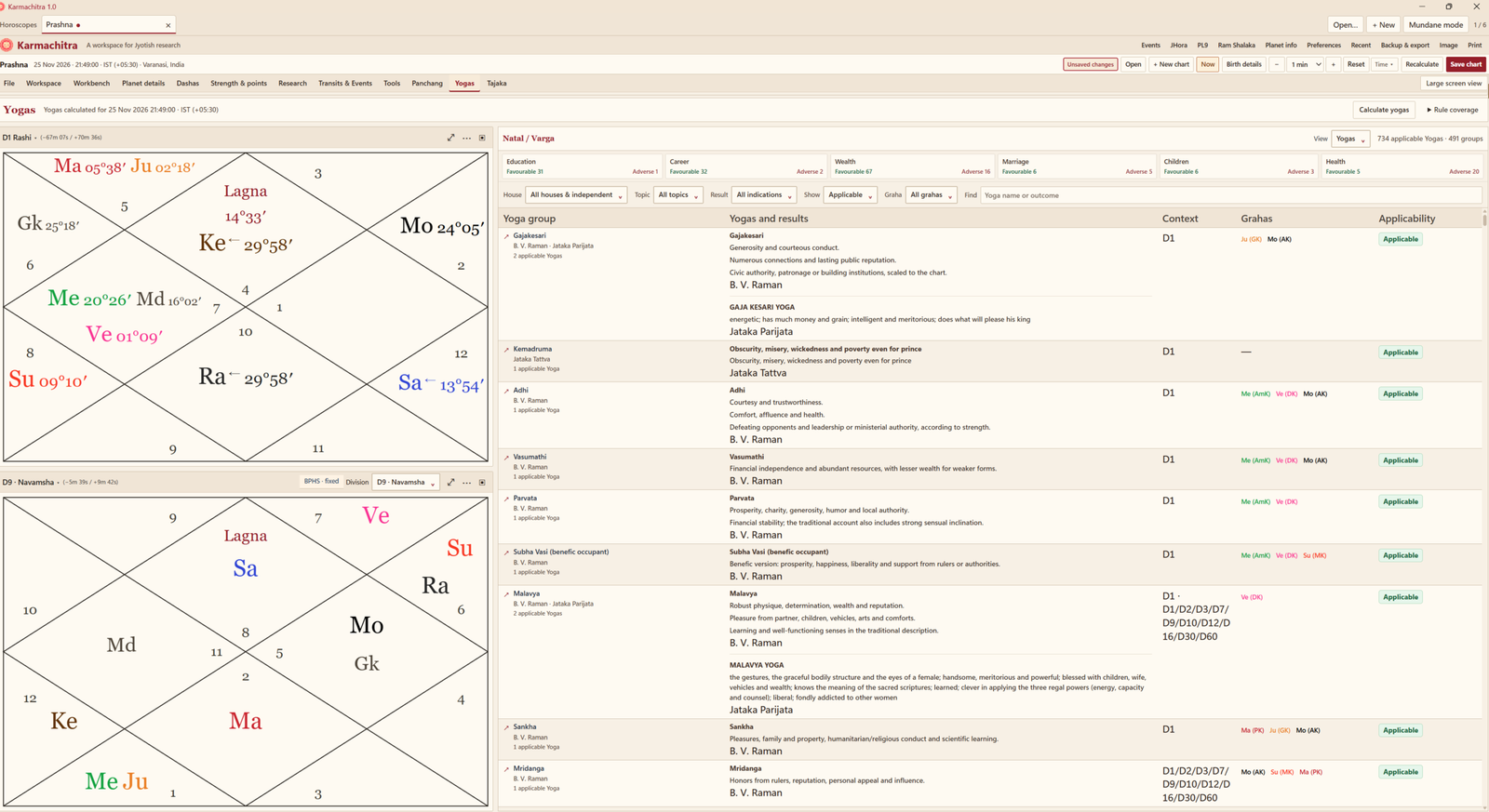
- Print or save as PDF an A4 report of one horoscope; you choose the Vargas, Dashas, Tajaka years and Yogas.
- Save any chart as a picture (PNG).
- Chart files (.krm) in folders you choose; backup and export to Excel or JSON.
- Bring in charts from JHora (.jhd) and Parashara's Light 9 (.xml).
- Choices in Preferences: Lahiri, Raman, KP (Krishnamurti) or True Chitrapaksha ayanamsha; true or mean nodes; seven or eight Chara Karakas.
More is on the way. That will be free too.
Karmachitra 1.0 is the beginning. New pages and tools are being built, and every new version will be free. A new version installs over the old one and keeps your charts and settings.
Tell us what you think
Found a mistake, want a Dasha, Varga or Yoga added, or have an idea for the next version? Your feedback shapes what comes next.
Opens our contact form. Please mention "Karmachitra" in your message.
From download to your first chart in ten steps
- Install. Run
Karmachitra-Setup-1.0.0.exeand follow the steps. If Windows shows "Windows protected your PC", click More info, then Run anyway (see the note under Download). - Open it from the Start menu (Aaskplanets → Karmachitra) or the desktop shortcut.
- Make a chart. Press + New chart. Type the name, date and time, then type the place and pick it from the list. Karmachitra proposes the right time zone for that date; check it, then press Save.
- Read the Workbench. Rashi, Navamsha and Saptamsha, the planets, the Panchang and the running Dasha.
- Open any page from the menus: Workspace, Planet details, Dashas, Strength & points, Research, Transits & Events and Tools, or the buttons Panchang, Yogas and Tajaka.
- Dashas. Choose a system in the Dashas menu, then open a period to see the levels below it.
- Yogas. Open Yogas and press Calculate Yogas. Click a Yoga to see why it forms.
- Check the birth time. Use − and + beside the birth details, with the step you choose, and watch the charts move. Reset returns to the saved time.
- Choose your methods in Preferences (ayanamsha, nodes, Chara Karakas) and in each page's own choices.
- Keep and share your work. Save keeps the chart file; Print makes an A4 report or PDF; Image saves a picture; Backup & export keeps a copy of all charts.
Get Karmachitra 1.0
Free · Windows 10 and 11 (64-bit) · Works offline
6f88adbd6ba68d42e82144db39841fdedd3bbb38e68a48103e8d73dfad8e37bf
Lets careful users check that the file is genuine.Requirements
- Windows 10 or Windows 11, 64-bit.
- Setup checks for .NET Framework 4.6.2 or newer, the Microsoft Visual C++ x64 runtime and Microsoft Edge WebView2. Most PCs already have them; if one is missing, Setup offers to download it from Microsoft.
- Internet is needed only to download Karmachitra (and any missing Microsoft part). No account, no sign-in.
Install, update, remove
- Karmachitra installs for your Windows user account, with an Aaskplanets folder in the Start menu.
- A new version installs over the old one and keeps your charts and settings.
- Uninstalling never deletes your chart files.
Free to use. Not for sale.
You may
Karmachitra is free. You may install it on your own computers and use it for personal study and in your professional work, including astrology work for your clients.
You may give a friend an unchanged copy of the official installer, free of charge, with its licence.
You may not
Without written permission from Aaskplanets:
- sell, rent or lease Karmachitra, or charge any money for it;
- bundle it with another product or service, such as a paid course, a book or a computer;
- change it, copy parts of it into another program, or reverse engineer it;
- remove its name, logo, copyright or licence notices.
Doing any of these breaks the Karmachitra licence and infringes Aaskplanets' copyright. Copyright infringement is a punishable offence under the Copyright Act, 1957 of India, and Aaskplanets will take legal action against it. The licence is governed by the laws of India.
If anyone asked you to pay for Karmachitra, you were misled. The only official source is www.karmachitra.com. Please tell us where you saw it sold, through www.karmachitra.com.
Support Karmachitra
Karmachitra is free and will always be free. If it helps your study or your work, you can donate any amount you choose. Your donations help us release upcoming versions with more and better features.
This is entirely your choice. Every feature works the same whether you donate or not, and a donation buys nothing extra.
Short answers
Is it really free?
Yes. No price, no trial period, no account.
Then what is the Support button for?
It is a voluntary donation for those who wish to help. It is not a price. Karmachitra works fully without it.
Can I use it for my clients?
Yes. The licence allows professional use.
Can I sell it, or give it with my paid course?
No. See "Free to use. Not for sale."
Does it need the internet?
Only to download it (and any missing Microsoft part during setup). Everything else works offline, including the place search.
Where are my charts kept?
In chart files (.krm) in folders you choose, on your own computer. Nothing is sent anywhere.
Which dates does it cover?
1 January 1550 to 31 December 2650.
How accurate are the planet positions?
Karmachitra has its own engine, built from NASA JPL DE441.
Which ayanamshas?
Lahiri (default), Raman, KP (Krishnamurti) and True Chitrapaksha.
Can I bring my charts from JHora or Parashara's Light?
Yes: JHora .jhd files and PL9 .xml files.
How do I move my charts to another PC?
Copy the chart files, or use Backup & export.
Is there a Mac or phone version?
Not now. Karmachitra 1.0 is for Windows.
Is it advice?
No. Karmachitra's results are for guidance, education and research. They are not medical, legal, financial or other professional advice.
How do I report a problem?
Ready to try it?
Version 1.0 · Windows 10 and 11 (64-bit)
Planet data: NASA JPL DE441 · Places: GeoNames (CC BY 4.0) · Hindi font: Noto Sans Devanagari (SIL Open Font License)
© 2026 Aaskplanets. All rights reserved. Karmachitra is free to use under the Karmachitra End User Licence Agreement.
www.karmachitra.com